Why an ATS Check Is No Longer Optional
In 2026, more than three‑quarters of large employers rely on applicant tracking systems (ATS) to filter incoming applications before a human ever sees them. If your resume can’t be parsed, it’s effectively invisible—even if you have the perfect experience. A quick, free ATS scan can tell you whether your document will survive that first digital gate.
Unlike a traditional résumé review that focuses on storytelling, an ATS check evaluates four core pillars: formatting & readability, keyword alignment, section completeness, and quantifiable impact. Each pillar receives a weighted score that adds up to an overall ATS percentage. Understanding these scores empowers you to make data‑driven tweaks that dramatically increase interview chances.
What ATS Systems Actually Look For
Even though each vendor (Workday, Greenhouse, Taleo, Lever, etc.) uses its own parsing engine, they share a surprisingly consistent set of rules. Below are the most critical elements that every scanner tests.
1. File Type and Text Layer
- PDF or DOCX with selectable text is safest. Scanned image PDFs break parsing because the text isn’t machine‑readable.
- Word documents should be saved in the .docx format; older .doc files can introduce hidden formatting.
2. Simple, Single‑Column Layout
- ATS parsers read left‑to‑right, top‑to‑bottom. Multi‑column tables, sidebars, or graphics cause data to be omitted or misplaced.
- Standard headings (e.g., Work Experience, Education, Skills) help the parser map content to the right sections.
3. Keyword Coverage
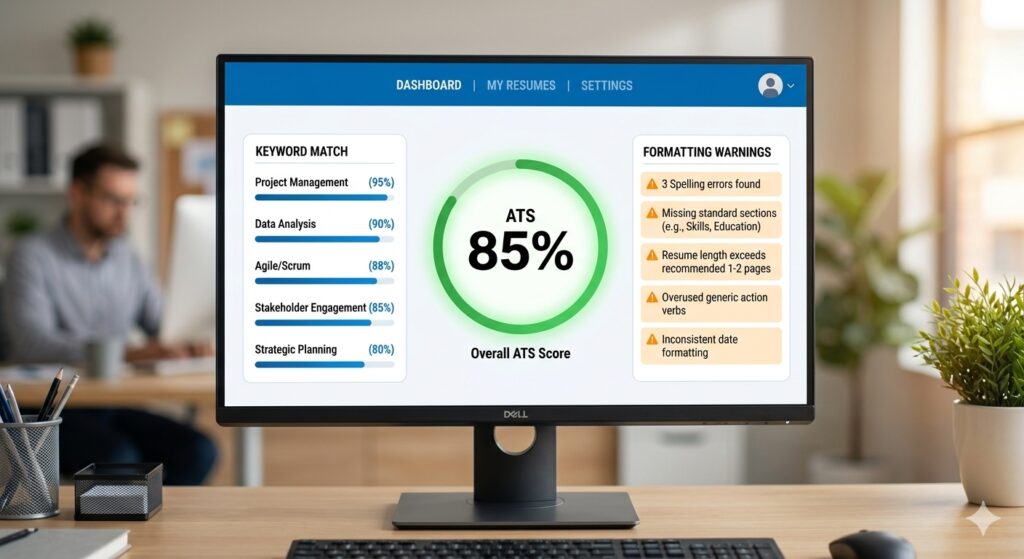
Keywords are the language of the job description. ATS engines compare the frequency and placement of these terms against the posting. A well‑optimized resume typically hits 60‑80% of the top 30 relevant keywords.
4. Structured Section Order
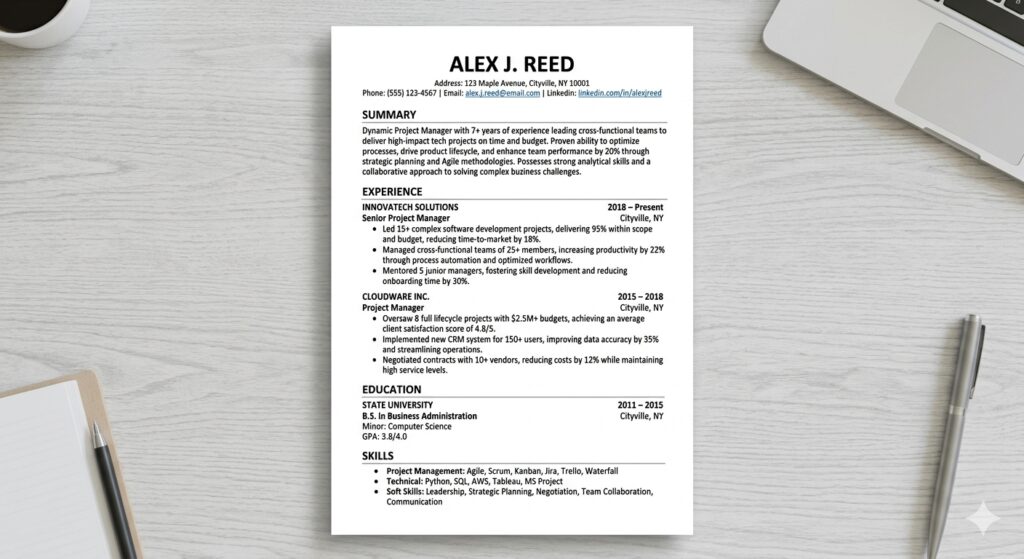
Most parsers expect contact information first, followed by a concise summary, then work experience, education, and finally skills. Inconsistent ordering can cause critical data—like dates or job titles—to be missed.
5. Quantifiable Achievements
Numbers (e.g., “increased sales by 22%”) not only impress hiring managers, they also give ATS algorithms a clear indicator of impact, which is weighted in many scoring models.
Free ATS Checkers You Can Use Right Now
There are dozens of tools on the market, but only a handful provide detailed, actionable feedback without demanding a credit card. Below is a curated list of the most reliable free scanners, based on the research data.
- MyResumeScan ATS Resume Checker – instant score, 27‑point diagnostic, and a “match & improve” feature that aligns your resume with a specific job description.
- Kickresume’s ATS Resume Checker – 20+ technical checks, score out of 100, and a side‑by‑side comparison with top‑performing resumes.
- Enhancv’s free scanner – 27 checks across seven categories, including bias detection and seniority fit.
- SkillSyncer – job‑specific match score with a built‑in bullet‑point generator for missing keywords.
- Jobalytics – unlimited free scans, real‑time keyword gap analysis, and AI‑powered cover‑letter suggestions.
All of these tools share a common workflow:
- Upload a PDF/DOCX or paste plain‑text.
- Optionally paste the job description you’re targeting.
- Press “Scan” and receive a score (usually 0‑100) plus a detailed report.
How to Interpret the ATS Score
Scores are not pass‑fail marks; they’re diagnostic signals. Here’s a practical breakdown you can use as a quick reference:
| Score Range | Interpretation | Recommended Action |
|---|---|---|
| 90‑100 | Excellent – likely to be parsed perfectly. | Double‑check for keyword stuffing; ensure natural readability. |
| 75‑89 | Great – strong chance of passing most major ATS. | Fine‑tune any missing high‑impact keywords. |
| 60‑74 | Average – resumes are readable but may miss key terms. | Revise bullet points to include more exact phrasing from the job description. |
| 40‑59 | Weak – parsing errors likely. | Reformat to a single column, replace fancy fonts, and add missing sections. |
| Below 40 | Critical – most ATS will reject. | Start from a clean ATS‑friendly template and rebuild. |
Remember: a high score only guarantees that the system can read your resume. It does not guarantee an interview; relevance to the role is still essential.
Common Formatting Pitfalls (And How to Fix Them)
Even the most experienced job seekers fall into traps that confuse parsers. Below are the top mistakes and the exact steps to correct them.
Multi‑Column Layouts and Tables
Columns split the text flow, causing the ATS to read only the leftmost column. Replace tables with simple bullet lists. If you must display a skills matrix, convert it to a comma‑separated line.
Headers and Footers for Contact Info
Many ATS strip header/footer content. Move your name, phone, email, and LinkedIn URL into the main body, preferably as the first line.
Non‑Standard Section Headings
Headers like “Professional Journey” or “Core Competencies” may be ignored. Stick to conventional titles: Work Experience, Education, Skills.
Images, Icons, and Graphics
Logos and icons are invisible to parsers. Use plain text for company names and remove decorative elements.
Complex Fonts and Colors
Fancy fonts (e.g., Script, Handwriting) or light gray text can be missed. Use standard system fonts like Calibri, Arial, or Times New Roman, and keep text color black (or very dark gray).
DIY Offline Test: The Quick Select‑All Check
If you’re wary of uploading your document, there’s a simple offline method:
- Open the PDF in a viewer (Adobe Reader, Chrome, etc.).
- Press Ctrl+A (Windows) or Cmd+A (Mac) to select all text.
- If every line—including your name, phone, and each bullet—highlights, the text is selectable and likely parsable.
- If large blocks remain dark or unselectable, you probably have an image‑based PDF that needs conversion.
This test catches one of the most common failures: scanned resumes.
Keyword Optimization – From Generic to Exact
Keywords are not just buzzwords; they are the exact terminology the ATS uses to rank candidates. Follow these steps to ensure you hit the right ones.
1. Extract Core Terms from the Job Description
Copy the posting into a text editor and highlight nouns and phrases that appear repeatedly (e.g., “Agile”, “data visualization”, “project lifecycle”).
2. Map Keywords to Your Existing Content
For each term, locate a bullet where you can naturally insert it. Avoid forced phrasing—use action verbs that incorporate the keyword (e.g., “Led an Agile sprint that reduced cycle time by 15%.”)
3. Prioritize High‑Impact Skills
ATS engines weigh skill keywords more heavily than generic adjectives. Place the top 10–12 skills in a dedicated Skills section, formatted as a simple list.
4. Use Exact Phrases
If the posting says “project management”, write “project management” verbatim, not “managed projects”. Exact phrase matches are counted more often.
Quantifiable Achievements – The Numbers Game
Almost every free ATS scanner flags low impact language. Replace vague statements like “responsible for sales growth” with concrete figures: “Boosted quarterly sales by $120K (22% YoY).” Numbers improve three scoring dimensions: content quality, impact, and keyword density (e.g., “increased revenue by 15%” includes the keyword “revenue”).
Step‑by‑Step Workflow Using MyResumeScan’s Free Checker
- Visit MyResumeScan ATS Resume Checker and upload your PDF or DOCX.
- Optional but recommended: paste the exact job description you’re targeting in the provided field.
- Click “Scan” – the tool returns a score within 30 seconds and a list of issues.
- Review the Formatting section first. Fix any highlighted problems (e.g., tables, headers).
- Move to Keyword Match. Add missing terms directly into your bullet points or the Skills list.
- Check the Content Quality recommendations – replace passive voice, add quantifiers, and swap weak verbs for stronger ones.
- After making changes, re‑upload the revised file and rescan until you consistently land in the 75‑90 range.
- Finally, download the optimized version and submit it through the employer’s portal.
This iterative loop mirrors the workflow of premium tools, but it’s completely free and requires no sign‑up.
Final ATS‑Ready Checklist
- File format: PDF (selectable text) or DOCX.
- Single‑column, standard font (Calibri, Arial, Times New Roman), black text.
- Contact information in the body, not header/footer.
- Standard headings: Contact, Summary, Work Experience, Education, Skills.
- Dates formatted consistently (Month Year – Month Year).
- At least 60 % of the top 30 keywords from the job posting appear verbatim.
- Each bullet starts with a strong action verb and includes a measurable result.
- No images, graphics, or tables that can break parsing.
- Length: 1‑2 pages for most professionals; 3 pages only if you have 10+ years of experience.
- Run the free ATS scan again after every major edit.
Conclusion: Turn the ATS From Gatekeeper to Ally
Modern recruiting is a two‑stage funnel: first the algorithm, then the human. By treating the ATS as a real reviewer and giving it a clean, keyword‑rich resume, you dramatically increase the odds that your story will ever be read. The best part? You don’t need a pricey subscription; a handful of free tools—especially MyResumeScan’s ATS Resume Checker—provide the data you need to iterate quickly and confidently.
Take the first step today: upload your resume, run the free scan, and start polishing. Within minutes you’ll have a concrete score, a prioritized fix list, and a clear path to a higher‑impact, ATS‑friendly document that gets you in front of the hiring manager.